How to add live chat to your Shopify app (the right way)
How to add live chat inside a Shopify app: where the widget goes, how to identify merchants securely, what to automate, and how to keep replies fast.
On this page
- Why use live chat instead of email for a Shopify app?
- Where should the chat widget go in a Shopify app?
- How do you add the widget to an embedded Shopify app?
- How do you test the chat before merchants see it?
- How do you identify merchants securely in the chat?
- How do you show the merchant’s revenue in the chat?
- What should you automate in Shopify app support chat?
- How do you set expectations so live chat does not backfire?
- How do you keep chat response times low?
- How do you run live chat for several Shopify apps?
- What is the best live chat for Shopify app developers?
- Common questions about live chat for Shopify apps
- How do you add live chat to a Shopify app in seven steps?
To add live chat to a Shopify app, put a chat widget on the screens inside your app where merchants get stuck, identify each merchant with a signed call from your server so conversations attach to the right account, add a help center the widget can search, and set honest reply times your team can meet. For an embedded app, that means adding the widget’s script to the HTML page that hosts your app inside the Shopify Admin.
This guide is about live chat for your Shopify app: support for the merchants who installed it, inside the app’s own screens. It is not about a storefront chat widget that a store owner adds to talk to shoppers. Search results often mix the two up.
Why use live chat instead of email for a Shopify app?
Live chat suits a Shopify app because merchants usually have questions in the middle of a task: setting up, changing a setting, or wondering why something did not appear on their store. Email asks them to stop, write a message and wait, at the moment they are most likely to give up. Chat meets the question where it happens.
Chat also carries context email does not: which screen the merchant was on, which store they are, and, if you connect your revenue data, what they pay you. Email still has a place, for questions that can wait and for follow-ups, so many app teams run both and route them to one inbox.
| Live chat | ||
|---|---|---|
| Best for | Questions in the middle of a task | Questions that can wait, and follow-ups |
| Context you get | The screen, the store and, if connected, revenue | Whatever the merchant writes |
| Reply people expect | Within minutes to an hour | Within hours to a day |
| Main risk | Silence after an implied instant reply | The merchant gives up before writing |
Where should the chat widget go in a Shopify app?
Put the widget on the screens inside your app where merchants get stuck, not only on your marketing site. The most common are:
- The first screens after install, where merchants decide whether the app is worth their time.
- Settings screens with choices the merchant may not understand.
- Any step that sends the merchant elsewhere, such as enabling an app embed in the theme editor.
- Billing or plan screens, where questions about price come up.
A merchant who can ask without leaving the screen they are on is far more likely to ask than give up. The Shopify app onboarding guide covers where setup usually breaks.
How do you add the widget to an embedded Shopify app?
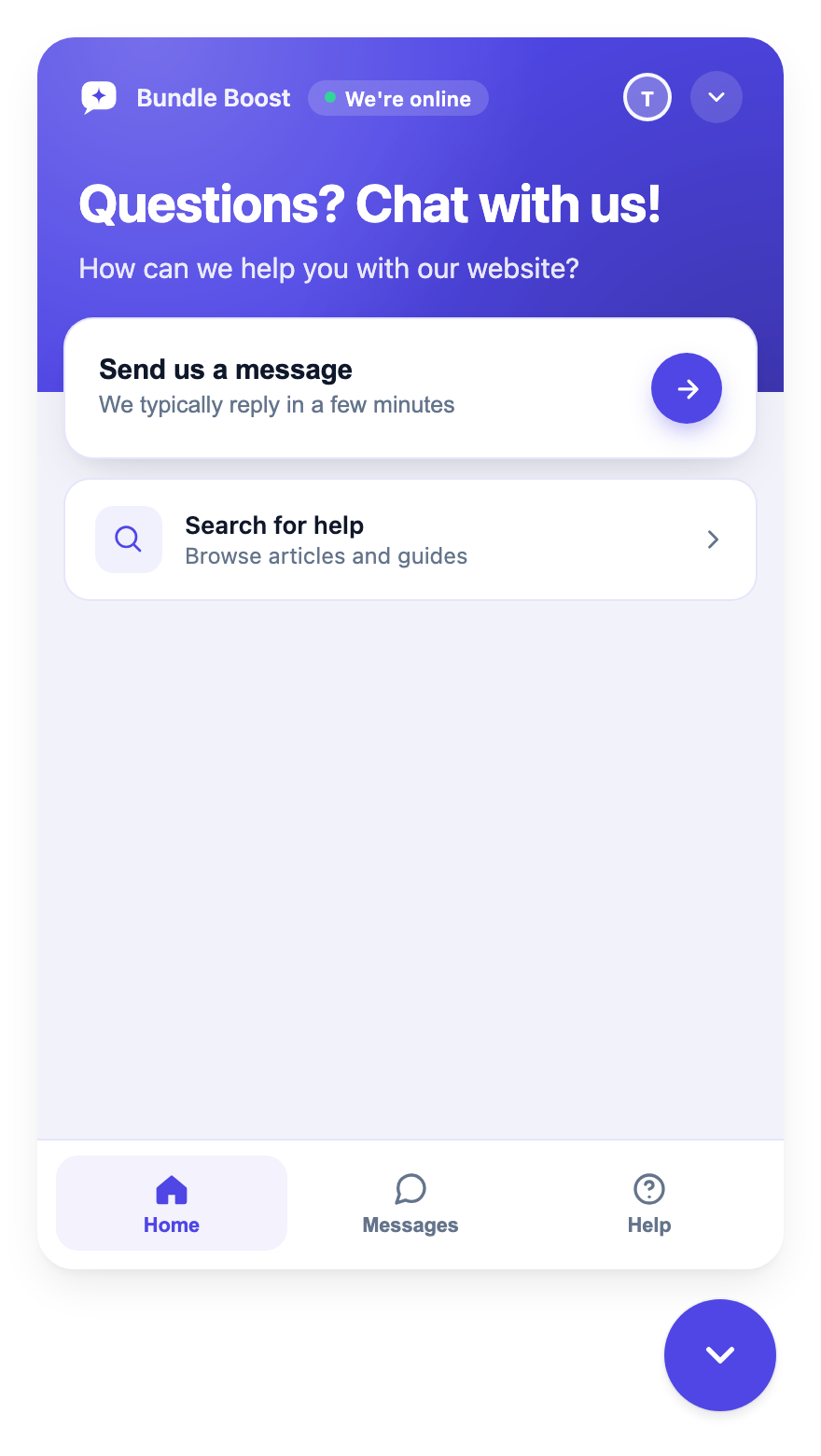
Add the support widget in the Shopify Admin by placing its script in the HTML page that hosts your embedded app, the same shell that loads your React, Next.js or Remix app. With Convot, no Shopify app extension is needed. The snippet sets your app key and loads the widget:
<script>
  window.Convot = { app_id: "app_YOUR_KEY_HERE", origin: "https://app.convot.io" };
</script>
<script async src="https://app.convot.io/widget-loader.js"></script>
Copy the exact snippet from your app’s Setup page in Convot, where your app key is filled in, and put it in the head or just before the closing body tag of your app’s HTML shell. The loader injects the widget in a sandboxed iframe and loads asynchronously, so it does not block your page. If your app also adds content to merchants’ storefronts, the same snippet can go before the closing body tag of the relevant theme layout.
How do you test the chat before merchants see it?
Test the chat on a development store before you release it, in four steps:
- Open a page of your app where you added the snippet, and check that the chat bubble appears.
- Open the widget and send a test message.
- In Convot, find the test conversation in your inbox and reply to it.
- Check that your reply appears in the widget.
If the bubble does not appear, the usual causes are a missing or mistyped app key, the window.Convot line placed after the loader script (it must come first), or the snippet sitting in a part of the page that never loads. Check the app key against your app’s Setup page first. Then test the identify call: log in as a test merchant and confirm the conversation shows their name and store, not an anonymous visitor.
How do you identify merchants securely in the chat?
Identify merchants by calling Convot.identify once you know who they are, for example after OAuth, and sign the call on your server so a visitor cannot pass themselves off as another merchant once verification is enforced. Without identify, each new browser session creates an anonymous contact; with it, conversations attach to the merchant’s record.
<script>
  Convot.identify({
    external_id: "your_user_id_123",
    email: "[email protected]",
    name: "Jane Doe",
    company: "Acme Store",
    user_hash: "HMAC_FROM_YOUR_SERVER"
  });
</script>
The signature is an HMAC-SHA256 of the merchant’s external_id (or their email, if you send no external_id), computed on your server with your app’s identity secret:
// Node.js, on your server
const crypto = require("crypto");
const userHash = crypto
  .createHmac("sha256", process.env.CONVOT_IDENTITY_SECRET)
  .update(externalId)
  .digest("hex");
Keep the identity secret on your server only. Never put it in client-side code or a public repository. In short: compute the hash on your server after the merchant signs in, pass it to the page, and call Convot.identify with the same external_id and the hash, after the loader script is on the page.
Signing only protects you once you turn on Require verification on your app’s Setup page. Then Convot rejects any identify call without a valid user_hash. Turn it on only after your server is already sending hashes, or logged-in merchants will show up as anonymous.
How do you show the merchant’s revenue in the chat?
Show the merchant’s revenue by connecting your Shopify Partner account and sending the shop’s myshopify.com domain with its own signature. The user_hash from the identify step verifies who the person is; it does not link them to revenue. Convot attaches billing data only when the shop value is signed too, because anyone could otherwise type a store domain they do not own. Convot’s docs show the shop sent like this, with the shop signed on your server the same way, using the same identity secret:
<script>
  Convot.identify({
    external_id: "johns-store.myshopify.com",
    name: "John Smith",
    email: "[email protected]",
    shop: "johns-store.myshopify.com",
    shop_hash: "HMAC_OF_THE_SHOP_DOMAIN_FROM_YOUR_SERVER"
  });
</script>
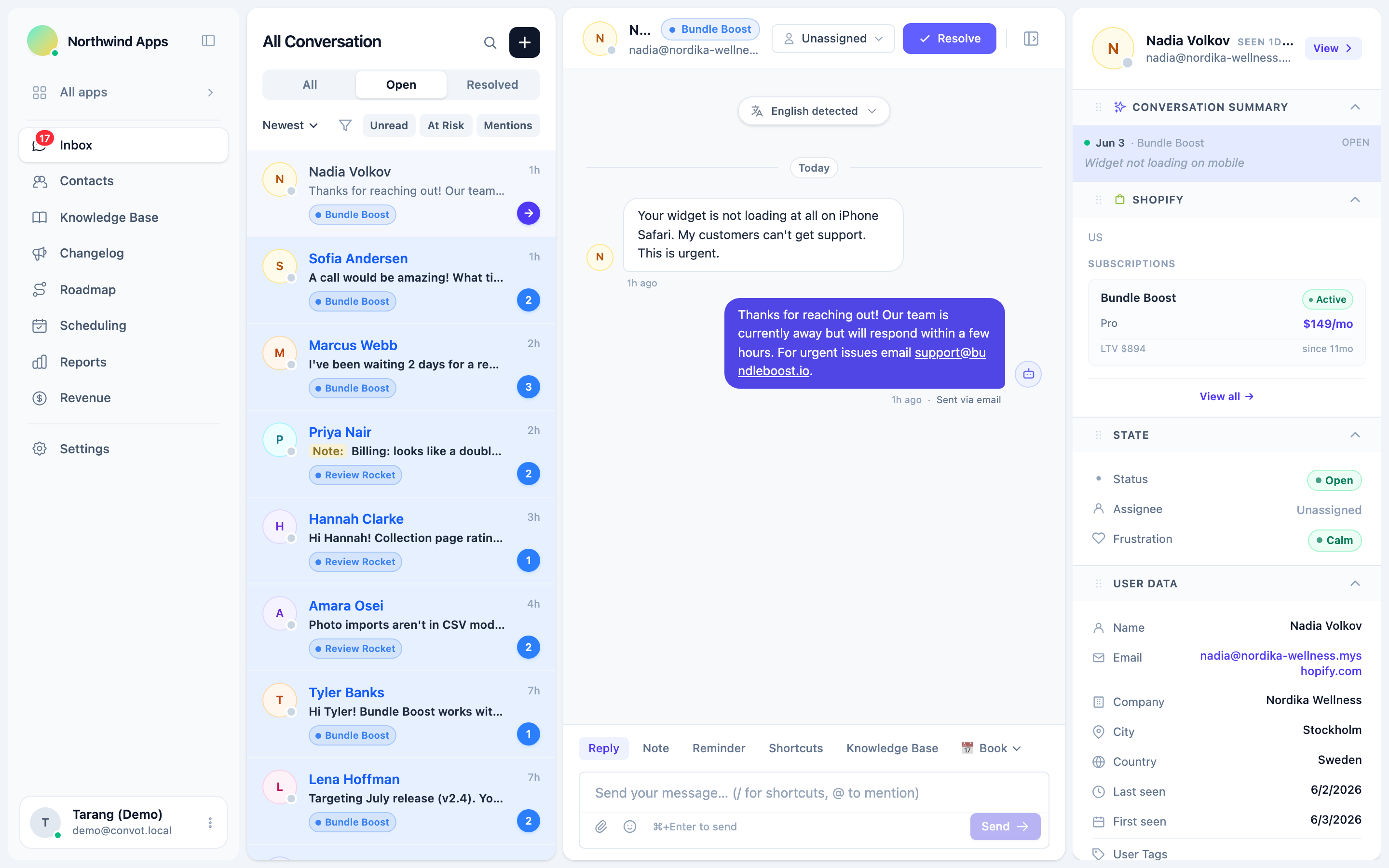
Revenue links only when the Partner account is connected and the shop_hash is valid; user_hash alone does not link revenue. Once linked, the conversation shows the merchant’s plan, MRR, lifetime revenue to date and recent lifecycle events, such as installs and plan changes, in a sidebar.
The revenue is visible to owners by default, and owners can grant it to admins; agents do not see it. That lets a founder or lead prioritize: for example, a merchant paying $300 a month who reports a bug should not wait behind a free-plan question, and without revenue context the two look the same. The guide to Shopify Partner revenue metrics explains each number.
What should you automate in Shopify app support chat?
Automate the questions that have one right answer and keep people on the ones that need judgment. A sensible order:
- A help center inside the widget, so merchants can search for an answer before they message you. The ticket deflection guide covers how to build one.
- An AI agent that answers from your help center, for routine questions, and hands off to a person when it is not sure. Convot’s Cove AI does this at $0.20 per resolved conversation on paid plans, and can show which article it used.
- People for everything else: bugs, billing, anything involving a merchant’s data, and any conversation where the merchant is frustrated.
You do not need a large scripted chatbot. A grounded answer or a fast human reply beats a decision tree that sends merchants in circles.
How do you set expectations so live chat does not backfire?
Set expectations by being honest about when you will reply. Live chat suggests an instant answer, so a merchant who expects one and hears nothing ends up more frustrated than if they had emailed.
- Show online and away states, so merchants can see whether anyone is there.
- Set each agent’s working hours, and write an away message, which the widget shows with an estimated return time outside those hours.
- Say what to expect, such as “we usually reply within an hour during business hours.”
A merchant who knows you are away and leaves a message is fine. One who expected a reply and got silence is the one who leaves.
How do you keep chat response times low?
Keep response times low by giving every conversation an owner, setting a target you can meet, and making replies possible away from the desk:
- Route each conversation to one person, by app or by topic, so nothing waits because everyone assumed someone else had it.
- Set a first response target, such as one working hour, and track it each week.
- Reply from your phone. Convot’s agent app for iOS and Android sends a push notification when a conversation is assigned to you or a merchant replies in one you own.
- Reply in the merchant’s language. Live translation lets you reply in your language while the merchant reads it in theirs, across 60+ languages.
The guide to customer support metrics for Shopify apps covers how to measure first response and resolution time.
How do you run live chat for several Shopify apps?
Run chat for several apps from one inbox, with a separate widget for each app. Many app teams ship more than one app, and the same few people answer for all of them, so separate inboxes mean switching tabs and missing conversations.
In Convot, each app gets its own widget, branding and help center, and every conversation lands in one shared inbox, labelled by app. A merchant who uses two of your apps has one record across both, so you can see their whole history. Agents can be limited to specific apps, while admins see everything, and pricing is set by how many apps you run:
| Plan | Apps included | Price per month |
|---|---|---|
| Starter | 1 | $49 |
| Growth | 2 | $79 |
| Pro | 5 | $149 |
| Scale | Unlimited | $299 |
Extra apps are $20 a month, and Convot is free for teams under $1,000 a month in revenue, with 1 app.
What is the best live chat for Shopify app developers?
The best live chat for Shopify app developers works inside an embedded app, signs merchant identity on your server, shows Shopify Partner revenue beside each conversation, and runs several apps from one inbox. Store-focused chat tools are built around shoppers and orders, so they usually miss most of these. Check any tool against this list:
| Need | Why it matters for an app |
|---|---|
| Works inside an embedded app | Merchants get stuck inside the Shopify Admin, not on your website |
| Signed identify | Conversations attach to the right merchant, and a visitor cannot impersonate another once verification is enforced |
| Shopify revenue beside the chat | You can prioritize the merchants with the most at stake |
| A help center the widget searches | Common questions get answered without a message |
| One inbox for several apps | Many app teams ship more than one app |
| Live translation | Merchants write in many languages |
The guide to help desks for teams running more than one app compares the options.
Common questions about live chat for Shopify apps
Does live chat in a Shopify app need a Shopify app extension? Convot’s widget does not need a Shopify app extension. It loads from a short script in your app’s own HTML.
Can merchants chat with you without leaving the Shopify Admin? Merchants can chat without leaving the Shopify Admin when the widget is added to your embedded app’s HTML shell, because your app’s screens render inside the Admin.
Should a small team offer live chat if it cannot reply instantly? A small team can offer live chat if it is honest about reply times, with business hours, away messages and an expected response time. Silence after an implied instant reply is the problem, not the channel itself.
Is live chat free in Convot? Live chat is included on Convot’s free plan for teams under $1,000 a month in revenue, with 1 app and 3 seats; the widget shows “Powered by Convot” until you move to a paid plan, which starts at $49 a month.
Can the same widget appear on merchants’ storefronts? The same snippet can go in a storefront theme layout if your app adds content to merchants’ stores, though most app support belongs inside the app, where merchants manage it.
Do you need an AI chatbot for app support? You do not need one to start. A searchable help center and fast human replies cover most small apps; an AI agent that answers from your help center becomes useful as volume grows.
How do you add live chat to a Shopify app in seven steps?
Seven steps cover it:
- Put the widget on the screens where merchants get stuck.
- Add the script to your embedded app’s HTML shell.
- Identify merchants with a server-signed
Convot.identifycall. - Sign the shop domain (
shop_hash) and connect your Partner account to see revenue beside each chat. - Add a help center the widget can search, then an AI agent if volume grows.
- Set honest business hours and an expected reply time.
- Give every conversation an owner, and track first response time.
See live chat for Shopify apps, or start free while you are under $1,000 in monthly revenue.
About the author
Tarang Agarwal is the founder of Convot. Convot is built by Sidepanda, a small studio that runs several Shopify apps of its own, including Appointo, Depo and Panda Bundle, and supports all of them from one Convot inbox.
Revenue-aware support for Shopify app teams.
Live chat, help center, and every merchant's MRR, plan, and LTV beside the conversation. Free under $1k MRR.
Start free