What Is the Help Desk: A Guide for SaaS Teams
What a help desk is for a software team: request types, the path from message to close, and a real 30-day split of what AI answers and hands off.
On this page
- What is a help desk, and which requests does it handle?
- How does a request move from intake to closure?
- What does a small SaaS help desk’s AI do with every 100 customer messages?
- What are the core components of a modern help desk?
- How do traditional help desks compare with modern ones?
- How do help desk pricing models affect cost?
- Which KPIs show whether the help desk works?
- What does a help desk give a SaaS team in practice?
- How do you choose or migrate a help desk before volume grows?
- FAQ
A help desk is the one place where customer requests are received, recorded, assigned and answered, so nothing depends on who saw an email first. For a software team it means one queue, an owner for every conversation and a record of which questions keep returning.
Disclosure: Convot makes a help desk, so we have a stake in this topic. Figures labelled as ours come from our own app. Third-party figures name their source.
Key takeaways
- A help desk is a process first and a tool second: intake, a record, an owner, an answer, a follow-up and a review.
- For a software team the customers are outside the company, so the desk also feeds your help center and your product fixes.
- In a 30-day read of our own Appointo help desk, AI answered 16% of 808 customer messages directly, drafted a reply for a person on 55% and handed 29% to a person (one app, 83 help articles).
- The pricing model matters as much as the feature list: seats, apps and AI resolutions are three different meters.
- Add the next component when a report would change a decision, not before.
Each closed ticket can feed a useful loop: document the answer, fix the cause, or clarify the price. If the same billing question has been answered forty times, the pattern may point to unclear documentation, a confusing product flow or pricing that needs explaining. Without a desk, the conversation usually ends and nobody learns from it.
For example, a team running a Shopify app and two related tools might receive a report that an invoice export is blank, a question about a changed charge, and several reports of the same sync error. A shared inbox keeps those conversations together. Reviewing them as a group shows which answer belongs in an article and which issue needs a product fix.
What is a help desk, and which requests does it handle?
In IT service management terms, a help desk is a centralized service operation that receives incidents and service requests, records the details, classifies and prioritizes each item, coordinates resolution and tells the requester what is happening. A 2025 comparison of IT service desk standards in the Mantik journal examined ITIL V3, ITIL 4, ISO/IEC 20000 and COBIT 2019. It found that all four describe service desk processes, and it describes the service desk as a single point of contact that captures incidents and service requests. The paper is about internal IT service desks, but the idea carries over: a coordination layer, not a pile of mail.
Think of a hotel front desk. Every guest problem lands in one place, gets logged, goes to the right person and gets a follow-up. Housekeeping does not guess that engineering already handled it. The same shape covers an internal IT desk and a software company’s customer desk, which is why a small product team can run one.
Three ideas keep the words from blurring:
- Incident: an unplanned interruption or drop in service.
- Service request: a standard ask, such as access, information or a routine change.
- Problem: the recurring cause behind many tickets, not the individual close.
Product questions sit beside those three. They are how a feature is set up, and they become your next article if you tag them.
| Request type | What it covers | Example for a software team | Usual owner |
|---|---|---|---|
| Incident | Unplanned interruption or drop in service | Checkout button fails for one merchant | On-call engineer or support lead |
| Service request | Standard, routine ask | Staff account added or access restored | Support agent following a set procedure |
| Problem | Recurring fault with an unknown root cause | Same sync error reported by ten accounts | Engineering, with support tracking the pattern |
| Product question | How a feature works or is configured | How to set up a custom reply template | Support agent or help center article |
The owner column is the point of the table. An incident needs someone who can change the product or the account. A service request needs a written procedure. A problem needs engineering, while support keeps the pattern visible. A product question should die in an article once the answer is stable.
Accountability comes from ownership, category, priority, status history, escalation and a target you can measure. Without those, two founders both assume the other replied.
If you are deciding between a customer help desk and a full IT service desk, the help desk vs service desk cost comparison prices both for a 3-agent team. This guide stays with the customer side.
If one inbox holds all four types with no owner and no priority, the team runs a queue, not a help desk.
How does a request move from intake to closure?
A request moves through seven stages, and each stage has one common slip. A blank invoice export from a Shopify app merchant is a clean way to see the path. The message is short. The stakes are not, because the merchant cannot reconcile a charge.
- Intake. Chat, email or the widget drops the message into one shared queue, so it never waits in a personal inbox. The slip is leaving billing mail in a founder’s private folder, where nobody else can see the age of the thread.
- Record. Open one ticket tied to that merchant and that app, including the account identity you already have. The slip is a second ticket for the same export, which splits the history.
- Classify and prioritize. Tag it as a bug and rank it high because billing data is wrong. Skipping the tag lets an urgent billing bug sit behind password resets.
- Route. Assign an owner who can read the export logs, and escalate to engineering only when that person lacks access or a known fix. Escalating every blank export trains the queue to skip the first owner.
- Resolve. Answer from the help article or apply the fix, and write the reason in the ticket. A reply with no reason cannot be reused next Tuesday.
- Communicate. Tell the merchant what you found and when the next update arrives, even if the fix is still in review. Silence reads as neglect, even when the engineer is already working.
- Close and review. Confirm the export works, then log the category so ten copies of the same fault show up in a report. Closing with an empty note hides the pattern that should become a product fix.
A person must own priority, the customer-facing answer and any case that touches money, security or an unclear cause. Automation can usually open the ticket safely, attach the account, apply a first tag from the words in the message and send the status note you already approved.
What does a small SaaS help desk’s AI do with every 100 customer messages?
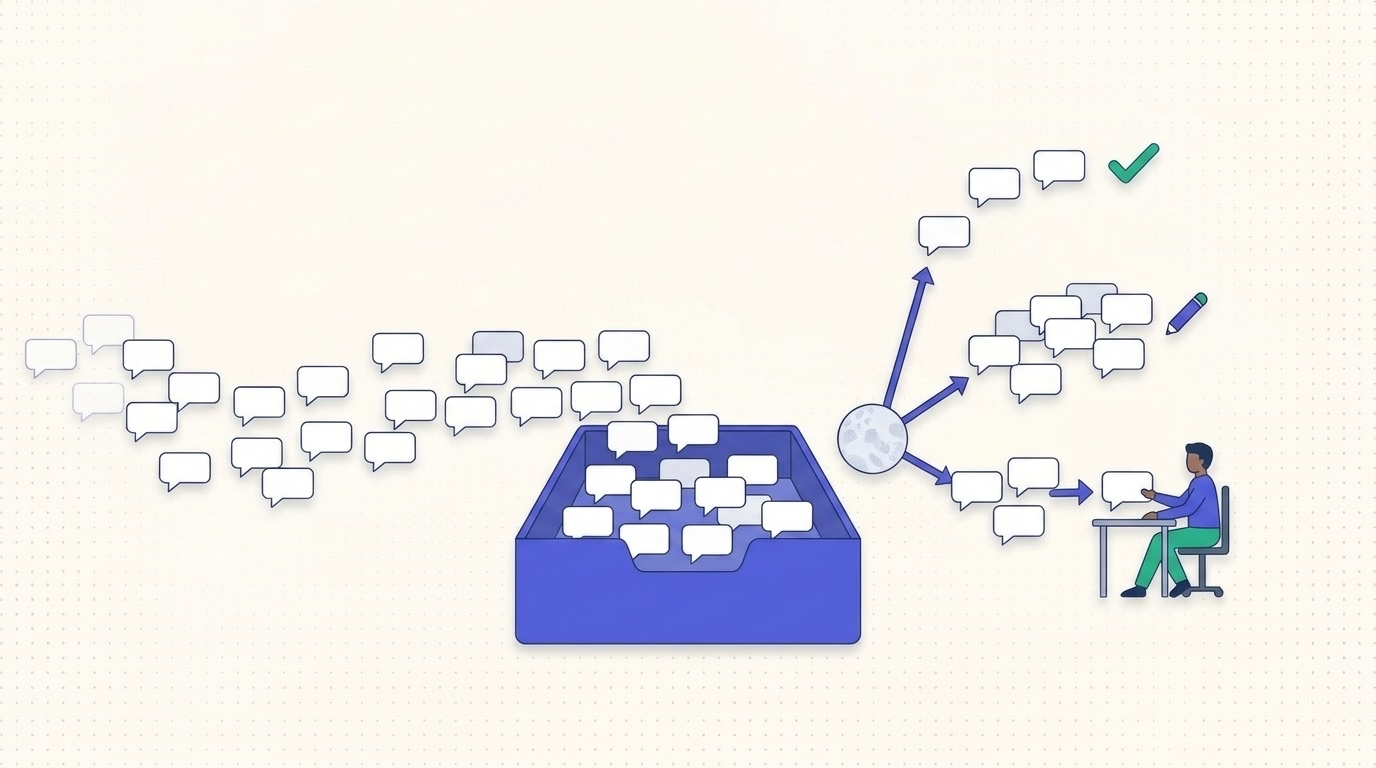
On Appointo’s help desk, the AI answered 16 of every 100 customer messages directly, drafted a reply for a person on 55 and handed 29 to a person. Appointo is a Shopify app and one of Sidepanda’s own, so this is a real small-team desk, not a model. The figures below are Convot data for the 30 days to 14 October 2026, scaled to 100 messages: Convot’s AI agent, Cove AI, evaluated 808 customer messages across 230 conversations, with 83 published help articles behind it.
| Of every 100 customer messages | What the AI did | Typical next step for a person |
|---|---|---|
| 16 | Answered directly from the help center | Reads the thread later if the customer replies |
| 55 | Suggested a draft reply | Checks the draft, edits the line that depends on the account, sends it |
| 29 | Handed over when the AI was not confident enough to answer | Writes the answer and decides whether it becomes an article |
Source: Convot data, Appointo, 30 days to 14 October 2026. Counts are per customer message, not per conversation: 129 answered directly, 444 drafted and 235 handed over out of 808. Rounded to whole percentages. Customers rated 3 AI answers helpful and 2 unhelpful in that period, which is too few to judge answer quality.
Three things follow from that split.
First, the middle row is most of the work. More than half of the messages got a draft that a person reviewed, so the desk still needs people who read and approve. A help desk that promises full automation misses this row.
Second, the last row is a to-do list. Many handed-over messages are questions the help center could not answer, so they are candidate articles or product fixes (others involve money, security or account changes and belong with a person anyway). That is the loop from stage 7, now with a count attached.
Third, a conversation here runs about 3.5 customer messages (808 divided by 230), so message volume overstates the number of separate problems. Count both when you size a team.
The mix is one app’s, in one month, with a help center of 83 articles. A team with thinner documentation may see a larger last row. Measure your own before you set a target. If you want to see how a shared queue like this looks across several apps, the shared inbox page shows how every app’s conversations land in one place.
What are the core components of a modern help desk?
A small software team should check nine building blocks before it adds another tool. You do not install all nine on day one. You do need to know which gap is causing lost replies.
- Shared inbox. Every conversation sits in one queue, with saved views, assignment, private notes and mentions, so a contractor can pick up a thread without forwarding mail.
- Live chat widget. Visitors open it on the page, and visitor identification shows the agent who is asking, which stops the “which shop is this?” pause.
- Contact management. One customer record ties every conversation across products, so a merchant who uses two of your apps is not two strangers.
- Knowledge base. The help center is the source answers come from, written once and reused in chat and in self-service. Articles that train the assistant should be the same pages customers can search. The knowledge base software cost guide prices this part.
- Email-to-ticket. Customers who never open chat still land in the queue, which matters for billing disputes that people prefer to write out.
- Shortcuts. Saved replies cover the repeat answers, and a human still edits the line that depends on that account.
- Escalation states and internal notes. A handoff carries what was already tried, so engineering does not restart the diagnosis.
- Webhooks and an API. Ticket events can reach billing, product or a status page without a weekly export. Rules for routing belong with that plumbing, and a practical pass at customer support automation shows which rules are safe to leave running.
- Reporting. Response time, resolution time and backlog age tell you whether the queue is aging, not only whether someone felt busy.
In our experience a shared inbox and a knowledge base cover most early needs. Integrations earn their place once volume makes copy-paste expensive. A team supporting several apps gets more from one inbox and one help center per app than from a separate queue for each product. For which plan holds which feature, and what turning them on costs, see the help desk software features and plan cost guide.
Add the ninth component when a weekly report would change a staffing or docs decision. Until then, the extra screen is only another login.
How do traditional help desks compare with modern ones?
Traditional and modern help desks split on where requests arrive, whether one person’s history follows them, and whether you measure ticket counts or outcomes.
Our summary of the typical differences, not research:
| Criteria | Traditional help desk | Modern help desk |
|---|---|---|
| Channels | Phone, email and paper forms | Chat, email, help center and in-app messages in one inbox |
| Customer record | Separate tickets per system | One contact record across products |
| Automation | Rules and macros set by admins | AI agent answering from documentation, with human handoff |
| Setup | Often a configuration project | Often self-serve from the start |
| Reporting | Ticket counts and handle time | Resolution quality, automation share and feedback trends |
Read the rows as a buying choice, not as a verdict that older suites failed. Channels decide whether a merchant can reach you without a phone queue. The customer record decides whether a second app starts from zero. Automation decides whether a documented setup question waits for a person. Setup time decides whether a two-person team can leave a spreadsheet this month. Reporting decides whether you see repeat themes or only how long a call lasted.
Large enterprises with change boards, audit trails and heavy compliance still have a real reason to keep a traditional ITSM suite. Those controls are the product, not a missing chat bubble.
The IT help desk dates to the late 1980s, when personal computers spread through offices. In its service desk whitepaper, Atlassian describes those early desks as reactive, and says ITIL came from the UK government in the same period to give service management a formal set of guidelines.
“Modern” here means the working features in the right-hand column, not the age of the vendor. A young tool with per-seat queues and no shared record is still a traditional desk.
The switch pays off most when one team runs several products or channels and the same question gets answered three times.
A third-party video review of one help desk product, Desk365, is embedded below as one example of how vendors present their products. We are not affiliated with it.
How do help desk pricing models affect cost?
Four common pricing models charge for different things, so the right comparison depends on how your team works: the number of people replying, the number of apps you support, or the volume the AI resolves.
| Pricing model | How it is charged | What raises the bill | Watch for |
|---|---|---|---|
| Per agent seat | Fixed fee for each person who replies | Adding teammates or contractors | Cost rises with headcount, not volume |
| Flat team price | One fee for the whole team | Moving to a higher tier | Check limits on apps and seats |
| Per app | Fee tied to the number of apps supported | Adding products | Several apps can mean several subscriptions |
| Per AI resolution | Fee for each conversation the AI closes without a human | Rising AI volume | Compare per-resolution rates at your expected volume |
Each model follows a different meter. With per-seat pricing, adding a contractor who replies can raise the bill even if conversation volume stays flat. A flat team price keeps the same charge as the team grows, until you move to a higher tier. Per-app pricing counts products separately, so supporting three apps may mean three subscriptions.
AI resolution pricing charges for each conversation the AI closes without a human, so the rate times your volume is the bill. At 2,000 AI resolutions in a month, a rate of $1.00 per resolution totals $2,000, and a rate of $0.20 totals $400. The Appointo split above is per message, not a resolution rate, and per-resolution bills count conversations. It does show that much of the volume still involves a person, so use your own share, not a vendor’s headline.
For a sense of what a human-handled ticket costs, Richpanel, a help desk vendor, publishes (page read 9 November 2026) a planning range of $2 to $10 in loaded agent time and about $0.20 for a conversation resolved by its own AI. Both are the vendor’s own figures, not a measured industry average, so treat them as a marker. The method is the useful part: divide your total support cost for a period by the contacts you handled.
Estimate three things before comparing vendors: monthly conversation volume, the share you expect AI to resolve, and the number of people who need reply access. Then match the pricing model to the work. Convot prices by app with seats included and charges $0.20 per resolved conversation for its AI on paid plans; the pricing page has the current plans.
Which KPIs show whether the help desk works?
First-contact resolution (FCR) shows whether the desk finishes work, not only whether it greets people quickly. HDI republished a 2011 MetricNet benchmark that defines FCR as the percentage of contacts resolved during the first interaction. For live chat or calls, the issue must be resolved before the session ends. An email may count when resolved within one business hour, which the paper calls an emerging industry convention. MetricNet reported an average net FCR of about 74% for service desks worldwide, ranging from about 41% to 94%. That is 2011 data from IT service desks, so use it for the shape of the range, not as a target. How to count FCR when an AI agent answers first is worked through in the first contact resolution guide.
A high first-contact rate can hide a fragile fix. Pair it with reopen rate, or you will celebrate answers that bounce back on Thursday.
- First response time is how fast you acknowledge the request, which keeps merchants from opening a second channel.
- First-contact resolution uses the chat rule and the email hour above, so chat and mail are not mixed into one vanity percentage.
- Reopen rate is the share of closed tickets that return within a week, which is your early warning that the fix did not hold.
- Resolution-time percentiles should use the 90th percentile rather than the average, so a few stuck billing tickets stay visible.
- Escalation rate, plus the quality of the notes, shows whether handoffs carry evidence or only a shrug.
- Customer satisfaction from a sample of closed tickets tells you whether the fast close was acceptable.
- Repeat-contact rate for the same question shows demand the article or the product failed to remove.
- Documentation coverage is the share of frequent questions that already have an article.
Metrics 7 and 8 reveal product friction that speed metrics miss. A two-minute answer to “where is the export?” can look excellent while ten merchants a week prove the button is hard to find. Security-sensitive cases are not a place to force FCR. If the note looks like an account takeover or a leaked token, refer it to the person who handles security incidents and keep the record.
Chasing one number produces bad behavior, such as closing a ticket to protect FCR before the merchant confirms the export. Take a two-week baseline before you set targets, and read the set beside the help desk reporting views you will open on Monday.
What does a help desk give a SaaS team in practice?
A help desk that records every conversation can turn repeat questions into documentation and product fixes. The four cases below are illustrative, not measured outcomes. For scale, a roundup of support cost statistics from Macha, a vendor, relays Deloitte Digital’s 2026 survey of 720 service leaders at large B2C companies: an average assisted contact cost $7.80, up from $6.70 in 2024. Those are big contact centers, not a five-person software team, and we have not checked the primary Deloitte report.
A charge that changed. A Shopify app merchant asks why this month’s bill differs. The agent sees the merchant’s current plan and recurring revenue beside the conversation, pulled from Shopify’s Partner API, which exposes app subscription data. One look replaces three tools. The benefit is a shorter handle time and fewer wrong guesses about what the merchant pays. Convot shows this as context for the agent. It describes the past and present, and does not predict who will leave.
Three apps, one founder. A solo founder supports three apps from one inbox, with one set of saved replies and one report. The benefit is a single owner model. The founder does not relearn a different queue for each product, and a merchant who uses two apps keeps one history.
The same sync error, ten accounts. Log it as a problem, assign engineering, and publish a status note plus a help article. The next merchants get the answer without opening a ticket. The benefit is fewer repeat contacts, and a defect that engineering can see as a count rather than as anecdotes.
A plain setup question. An AI agent answers from documentation and hands off to a person, with the full history, when it is not sure. The benefit is documentation that grows from real questions, because every uncertain handoff is a candidate for a clearer article. Do not let a canned answer hide a confusing permission screen. Tag the intent, and send the repeated theme to the person who can change the product.
Across the four cases, the payoff is the same loop: fewer repeat contacts, clearer owners, and docs that come from questions customers asked.
How do you choose or migrate a help desk before volume grows?
The decision starts with four counts: products and channels that will share one inbox, people who reply, the share of questions your documentation can already answer, and whether billing or account data should sit beside each conversation. If those answers point to several products and rising volume, plan the move before the queue is the founder’s evenings.
Migration works in a fixed order, which a help desk migration checklist can keep honest.
- Export tickets and help articles.
- Map old categories onto the four request types: incident, service request, problem and product question.
- Rewrite the top twenty help articles so the new assistant and the new help center share one source.
- Run old and new side by side for two weeks and compare misses, not only ticket totals.
- Switch the chat widget last, after agents can find history.
Test the handoff before launch. An uncertain AI answer must pass to a person with the full history, not a fresh blank thread. Keep that human path obvious. Qualtrics reported from its 2025 Contact Center Trends research, which surveyed over 23,000 consumers, that 74% would rather resolve an issue or get technical support through human channels.
A fair shortlist
These one-line fits are our view as of November 2026, not a ranking.
Intercom fits teams that want a mature messenger and are ready for per-outcome AI pricing. Zendesk fits larger support orgs that need deep ticket workflows and admin control. Freshdesk fits growing teams that want familiar ticketing. Help Scout fits small teams that live in email and shared mailboxes. Enterprises with formal ITSM, change control and compliance evidence often keep a traditional suite on purpose. None of those choices is a mistake if it matches headcount and process.
Convot is a help desk for small software teams, built for founders who support more than one app, and Shopify app developers are the closest fit. Crisp imports in one click. Moves from Zendesk, Intercom and Freshdesk are a free migration done with the founder, not an automatic importer. There is no self-serve Help Scout importer, so that move needs a conversation first. Sidepanda, the team behind Appointo and several other Shopify apps, runs support for all of them from one inbox.
Collect your volume numbers, then compare two platforms on the same four figures: monthly conversations, AI share, reply headcount and monthly cost.
FAQ
What is a help desk in simple terms?
A help desk is a single place where customer requests arrive, get an owner and get answered. It records each request, tracks its status and tells the customer what is happening. For a software team it replaces personal inboxes and chat threads with one shared queue and one history.
What is the difference between a help desk and a shared inbox?
A shared inbox holds messages. A help desk adds ownership, priority, status, escalation and reporting on top of them, so you can tell who is responsible and which requests are aging. A small team can start with a shared inbox and move to a help desk when more than one person answers regularly.
How much of support can AI handle without a person?
The share depends on your documentation and your questions. On Appointo’s help desk in the 30 days to 14 October 2026, the AI answered 16% of 808 customer messages directly, drafted a reply for a person on 55% and handed 29% over. That is one app with 83 help articles, so measure your own before planning staffing.
Do small SaaS teams need a help desk?
A team of one or two can run on a shared inbox. The need shows up when more than one person replies, when you support more than one app, or when the same question keeps returning and nobody can see how often. At that point an owner per conversation and a record of repeats start to save time.
How much does a help desk cost?
The cost depends on the meter: per agent seat, flat team price, per app or per AI resolution. The pricing models section above compares the four, and the help desk software features guide prices a 3-agent team across vendors. As of November 2026, Convot’s paid plans start at $49 a month for 1 app and 3 seats, and Cove AI is $0.20 per resolved conversation.
How is a help desk different from a service desk?
A help desk centers on fixing problems and answering questions. A service desk usually sits inside a wider ITIL practice, with approvals and change control across teams. A team supporting its own customers mostly needs the help desk side. The help desk vs service desk guide compares the two and prices them for 3 agents.
Convot puts live chat, a shared inbox, a help center, changelog, status updates, scheduling and a docs-grounded AI agent in one help desk for small software teams, with Shopify plan and billing context beside each merchant conversation. Cove AI answers from your articles and hands off to a person when it is not sure, so the feedback loop stays visible instead of vanishing into a canned reply. If that matches how you support your apps, look at the Convot shared inbox, or visit Convot and compare it against your monthly conversations, AI share, reply headcount and cost.
Revenue-aware support for Shopify app teams.
Live chat, help center, and every merchant's MRR, plan, and LTV beside the conversation. Free under $1k MRR.
Start free