Omnichannel Customer Service for Small Software Teams
Practical guide to omnichannel customer service for SaaS and Shopify app teams: channels, metrics, pitfalls, and a unified inbox approach that works.
On this page
- Table of Contents
- What Omnichannel Customer Service Actually Means
- Why Customers Now Move Across More Touchpoints
- Choosing Channels by Urgency, Not by Trend
- Five Pillars of Genuine Continuity
- A Practical Implementation Path for Small Teams
- Pitfalls That Quietly Break Omnichannel
- Shopify and SaaS Use Cases in One Inbox
- The Minimum Viable Omnichannel Stack
A Shopify merchant starts in your chat widget with a billing question. The conversation gets moved to email, and the merchant has to explain the app, the plan, and the charge all over again. Your team has the channels. The customer still doesn’t have a continuous support experience.
That’s the difference between collecting contact options and building omnichannel customer service. For a small software team, the priority isn’t adding another inbox. It’s keeping the customer’s identity, history, and issue intact as the conversation moves.
Table of Contents
- What Omnichannel Customer Service Actually Means
- Why Customers Now Move Across More Touchpoints
- Choosing Channels by Urgency, Not by Trend
- Five Pillars of Genuine Continuity
- A Practical Implementation Path for Small Teams
- Pitfalls That Quietly Break Omnichannel
- Shopify and SaaS Use Cases in One Inbox
- The Minimum Viable Omnichannel Stack
What Omnichannel Customer Service Actually Means
The merchant switches tabs, replies by email, and gets asked which app they use and what billing problem they’re seeing. Your team may be responding promptly in both places, but the customer is starting over because the channels don’t share context.
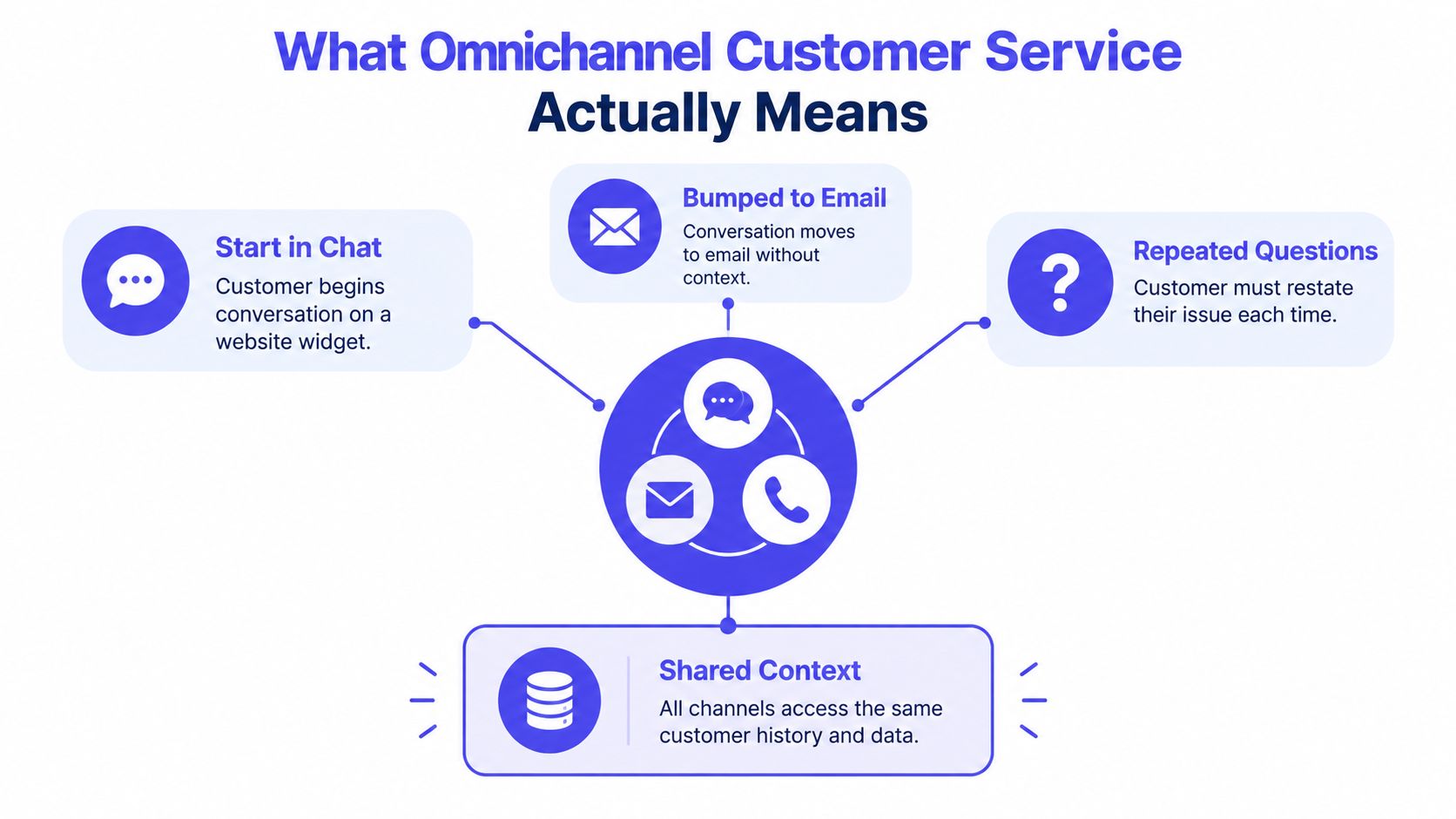
Omnichannel customer service connects channels through shared customer context. A chat, email, phone call, or social message becomes part of one ongoing support history. A multichannel team may offer all those options, but if each keeps a separate record, the customer still has to bridge the gaps.
That distinction matters because channel count is easy to increase and hard to manage. Every new queue adds another place for a conversation to lose its owner, status, or history. A shared record gives the team a better starting point: the next person can see what the customer asked, what the team tried, and what still needs to happen.
The operational case is clear. One benchmark reported 67% customer satisfaction when communication history persisted across channels, compared with 28% when customers had to start over. It also reported that 56% of customers switched channels after a missed first contact, while 75% gave up after two or three unsuccessful attempts (benchmark on omnichannel customer service).
For a software team, continuity can be as simple as carrying a chat transcript into email, keeping internal notes and ownership visible in a shared inbox, or passing a question from an AI agent to a person with the prior conversation attached. The handoff should move the work forward, not give the customer another form to fill out.
The test: When a customer switches channels, do they have to repeat themselves?
Why Customers Now Move Across More Touchpoints
A Shopify merchant asks about a failed order in chat, sends a screenshot by email, then posts publicly when checkout still fails. To the customer, that is one problem. To a team with separate queues, it can look like three new tickets.
The purchase journey has also become more fragmented. Research summarized in 2021 reported that consumers used almost six touchpoints per purchase journey, compared with about two roughly 15 years earlier. Nearly half regularly used more than four touchpoints, while only 7% did so in the earlier period (research on touchpoints per purchase journey).
More touchpoints mean more routing decisions. Keep identity, history, ownership, and next action attached as the conversation moves. If a shared inbox carries those fields forward, chat, email, social, and docs can serve one relationship instead of five disconnected queues.
The same research reported average customer retention of 89% for companies with extremely strong omnichannel engagement, compared with 33% for companies with weak engagement. Treat that as a signal about continuity, not proof that a help desk alone creates retention.
Keep the record useful
A small software team does not need a dossier on every customer. It needs the facts that change the next reply:
- Identity: which person, merchant, or account is contacting you.
- Product context: which app, plan, storefront, or integration is involved.
- Conversation history: what they asked and what the team already tried.
- Current ownership: who has the next action.
- Issue status: whether the customer waits on an answer, a fix, or an update.
Capture what helps the next person act. Skip fields nobody uses. If the record cannot move cleanly from a chat transcript to an email thread to an internal note, the team added channels without adding service.
Choosing Channels by Urgency, Not by Trend
A channel earns its place when it helps the customer get the kind of answer they need. Don’t add phone support because another software company has it. Don’t force every urgent issue into chat because chat is easier to staff.
A 2025 UK consumer study found that 67% preferred phone for urgent matters, and 60% said phone resolved issues fastest. For comparison, 13% named webchat and 9% email as the fastest channel (2025 UK consumer study on contact-centre preferences). That’s a useful warning for software founders: digital-first should not mean digital-only for every problem.
Use routing rules to match the channel to the customer’s need. A billing lockout or an issue disrupting a live store may warrant a scheduled call. A short product question may fit chat. An issue that needs screenshots or careful written steps may work better over email. If a customer raises a problem publicly on social media, acknowledge it there and move account details to a private channel.
| Customer Signal | Best-Fit Channel | What Must Travel With Them |
|---|---|---|
| Urgent issue, account access blocked, or live business disruption | Phone or scheduled call | Transcript, account identity, urgency, and actions already tried |
| Quick question about a feature or setup step | Chat | Customer identity and the page or product context, when available |
| Issue needs screenshots, logs, or a considered follow-up | Original request, attachments, owner, and response status | |
| Public complaint or question on social media | Public acknowledgment, then private support | Social message, customer identity if known, and the private follow-up history |
The tradeoff is staffing. Phone creates a synchronous commitment, while chat and email let a small team manage work asynchronously. Choose the smallest mix you can support well, and give each channel a clear escalation path. For teams deciding whether a website chat widget fits their support flow, this guide to a live chat widget for a website covers the practical considerations.
Five Pillars of Genuine Continuity
A shared inbox is only useful when the team can trust what it shows. Continuity depends on more than a transcript. The team needs to know who the customer is, what happened, who owns the next step, what state the issue is in, and which language or accessibility needs must be preserved.
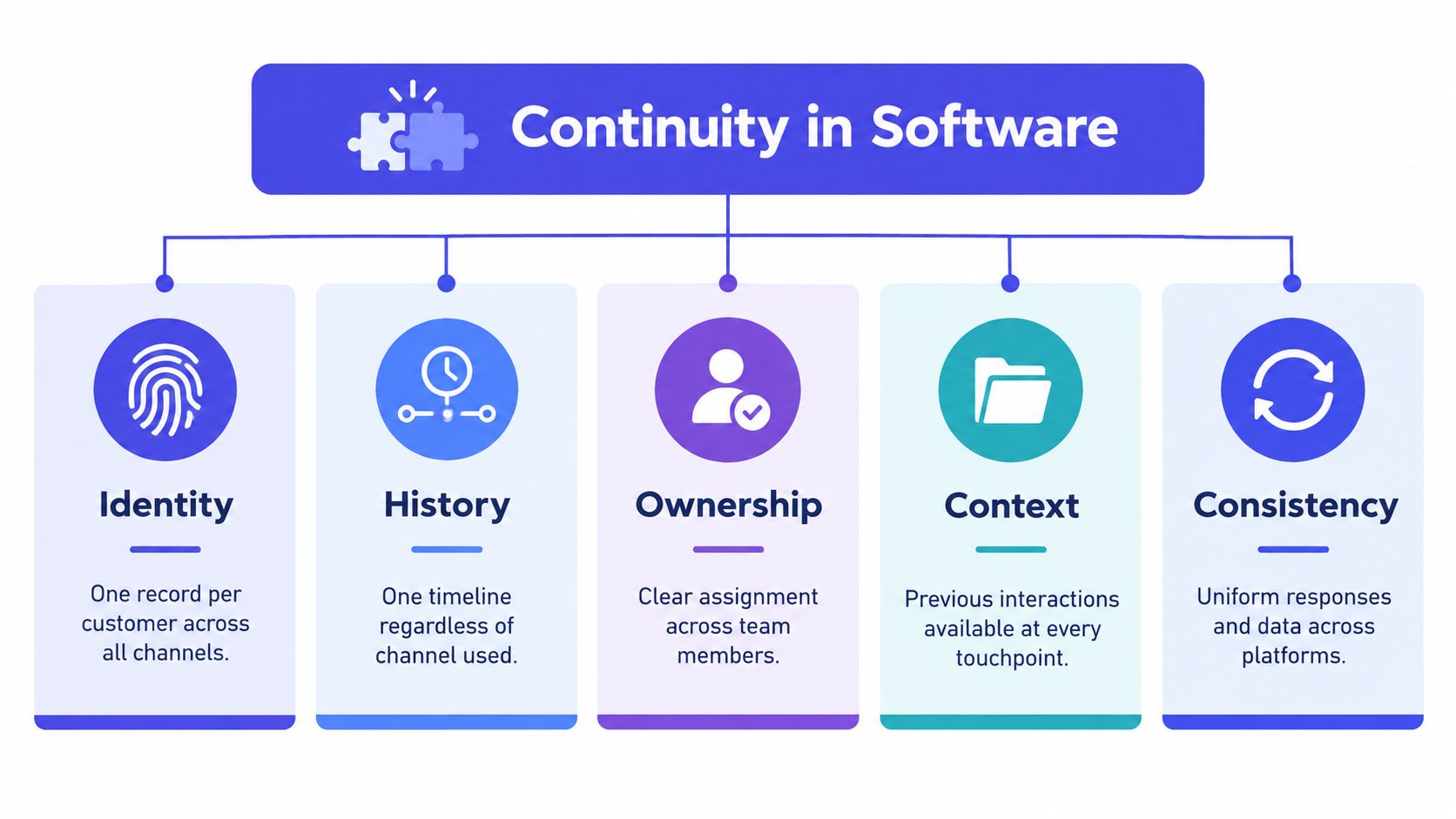
The five pillars below turn that principle into things a small team can inspect. Track them in the help desk you already use before buying more software.
- Identity: Keep one customer record across channels. Measure repeat-contact rate and check whether the same person is appearing as separate records.
- History: Preserve one timeline when a conversation changes channel. Track how long it takes service to resume after a handoff.
- Ownership: Make the next responsible teammate visible. Review first-contact resolution and look for cases that stall because nobody knows who should act.
- Status: Give the customer a clear picture of what happens next. Use customer-effort feedback by channel to find moments when people have to chase updates.
- Language: Carry the customer’s preferred language and accessibility needs through every handoff. Review resolution rates by language instead of relying only on an overall satisfaction score.
A structural-equation study of 509 omnichannel users found that integrated customer service positively influenced customer experience. It reported mediation coefficients of β = 0.160 for ease of use and β = 0.130 for enjoyment through customer experience, both statistically significant at p < 0.05 (study of omnichannel customer experience). For a support team, the practical point is that coordination can shape how the customer feels about the interaction, not just how quickly the team handles it.
Review the measures together. A fast handoff that loses the language preference isn’t a successful handoff. A complete transcript with no clear owner still leaves the customer waiting.
A Practical Implementation Path for Small Teams
Start with the shared record, not a long list of channels. If your team can’t see the same customer history and account context, connecting more contact options will create more disconnected work.
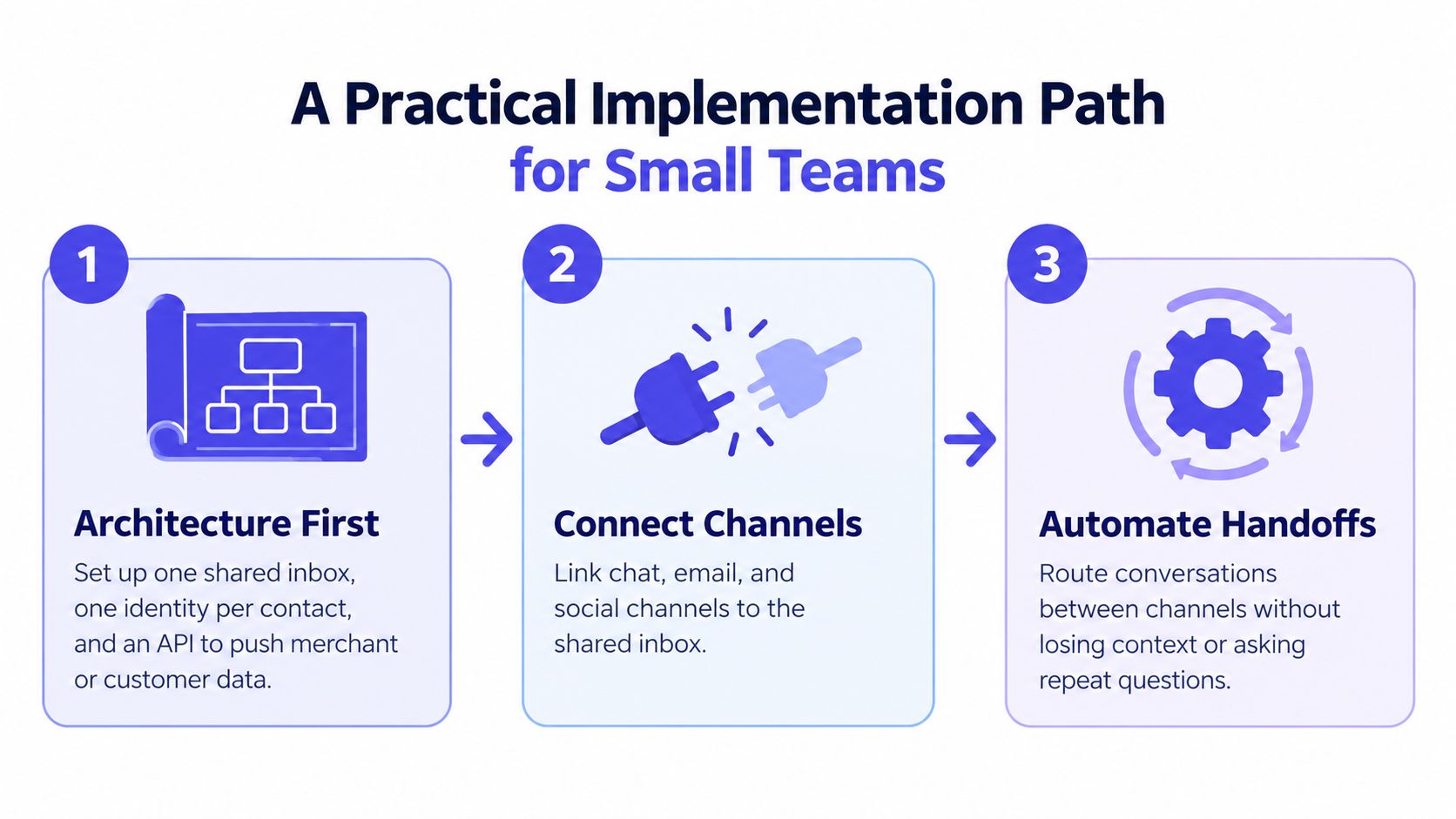
First, connect the customer record
Choose one inbox where the team can see conversations, assign ownership, and leave internal notes. Add the customer or merchant details that change the answer. For software, that may mean account status, product, plan, and relevant billing history.
Then connect the channels your customers already use. Don’t build a custom integration before checking what your help desk supports. A useful guide to third-party integrations can help you think through which systems need to share data and which don’t.
A 2024 study of 516 omnichannel retail customers found that integrating pricing, transaction, and order-fulfillment information significantly shaped cognitive and affective experience, with stronger effects on affective experience than on cognitive evaluation (2024 study of omnichannel retail experience). The lesson for a software team is direct: account and transaction context should be available where the conversation happens.
Then, make handoffs explicit
Write down which requests stay in chat, which move to email, and which need a scheduled call. Assign an owner at every transfer. If you use an AI agent, set a clear boundary: when it isn’t sure, it hands off to a human. The person receiving the case should be able to see what the AI tried and what the customer already said.
A small team can run this in stages. Establish the shared record first, connect the most-used channels next, then review handoffs and repeat contacts during a regular support review. If workload grows and you need help with administrative coverage, a resource on where to hire Latin American virtual assistants can help you evaluate that option without confusing staffing with the need for better workflow.
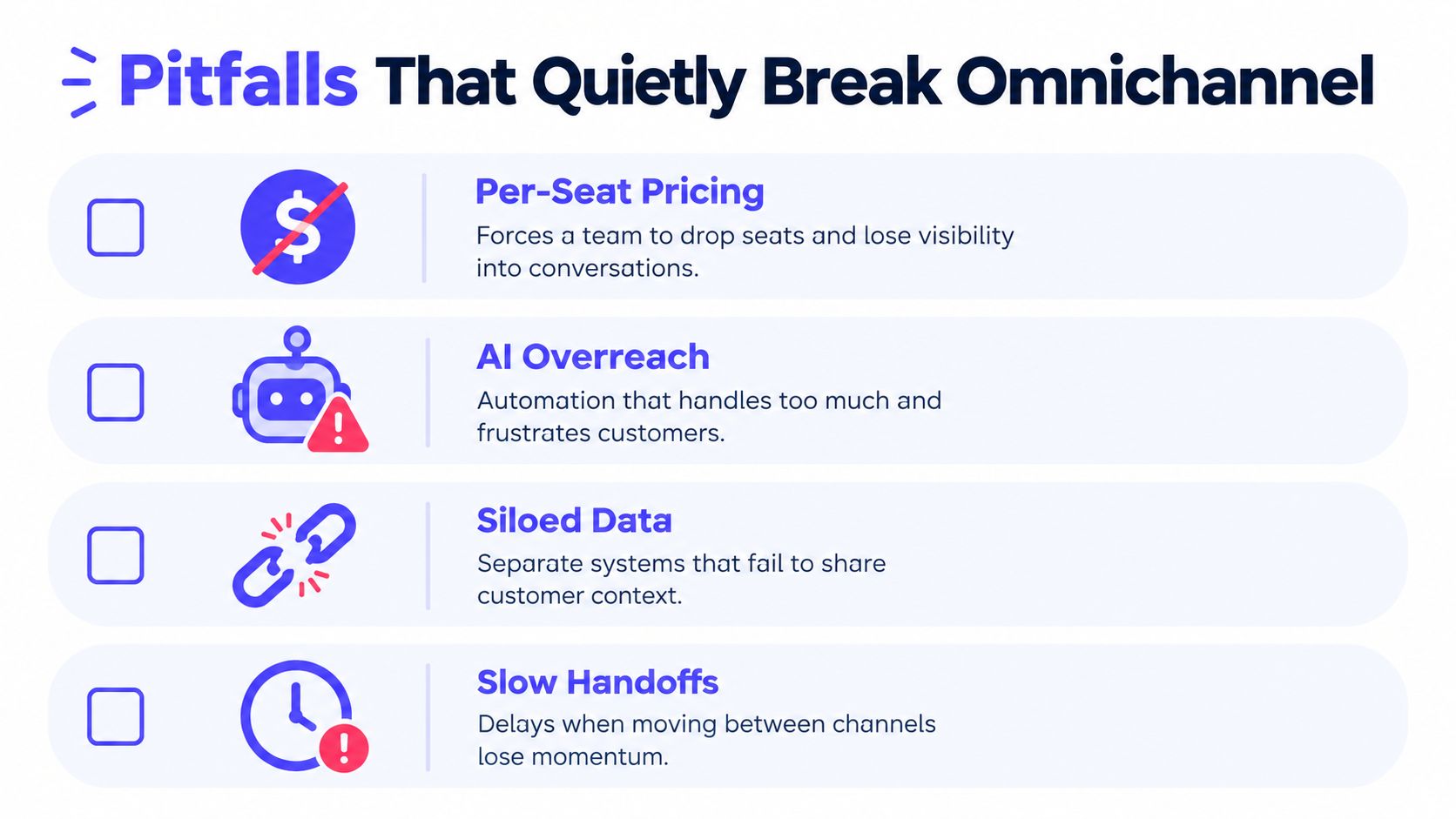
Pitfalls That Quietly Break Omnichannel
Teams can connect the channels and still leave customers with a fragmented experience. The usual cause isn’t a missing feature. It’s an operating choice that makes context disappear at the exact moment someone needs it.
Watch the cost and the handoff
Per-seat pricing can create a quiet visibility problem. When a small team removes seats to control cost, fewer people may be able to see or own conversations. Check whether the pricing model encourages you to keep the right teammates involved, rather than treating access as a luxury.
AI can create a different kind of break. If the agent gives an outdated refund policy or hands off without the customer’s question and account context, it adds work instead of removing it. Review an AI-escalated conversation regularly, check the answer against the team’s own documentation, and make sure the human can see what happened.
A third failure is siloed data. If the customer record lives in one tool, the chat transcript in another, and the changelog somewhere else, a teammate must reconstruct the story manually. Keep only the systems you can connect and maintain.
Treat inclusion as continuity
Language and accessibility must travel with the customer too. UK government inclusion data from 2025 found that 73% of surveyed organizations offered at least one accessibility feature, about half offered services in more than one language, and 30% offered more than ten languages (UK government inclusion data). Having a language option is not enough if the customer is moved to a channel or person who can’t continue in that language.
Check whether a translated chat transcript keeps technical terms clear when it moves to email or a human agent. Record language and accessibility preferences where the support team can find them. If a translation seems uncertain in a billing, security, or troubleshooting exchange, route it to a person rather than letting automation guess.
Finally, keep customer-facing status information current. When an incident affects the product, tell customers what’s happening and update the message when the situation changes. A stale update creates another support request.
Shopify and SaaS Use Cases in One Inbox
A Shopify app developer shouldn’t have to investigate a billing dispute without knowing which app the merchant uses or what plan they’re on. That context can sit beside the conversation, so the first reply starts with the actual issue rather than a request to identify the account.
For a team supporting several Shopify apps, pricing by app count can make one inbox a practical alternative to separate support systems for each product. The merchant starts in chat, shares the billing concern, and the teammate sees the merchant’s plan, MRR, and past billing history next to the conversation. If the question needs a deeper review, the team can move it to email without losing the original exchange.
A SaaS team has a similar problem, but the journey may span more product touchpoints. A customer reads the help center, opens chat, checks a changelog, and books a call when the issue needs a longer discussion. A single support workspace can connect those steps, while an AI agent answers from the team’s own documentation and hands off to a human when it isn’t confident.
| Standalone Tool | Replaced By | Why Teams Switched |
|---|---|---|
| Live chat | Shared support inbox | Keep the chat conversation with the customer’s support history |
| Separate help center | Help desk with connected knowledge base | Give customers self-service access and keep support answers aligned |
| Separate changelog and roadmap tool | Product updates connected to the support workflow | Let customer feedback and product updates live closer to support |
| Separate call-booking tool | Scheduling connected to support | Move complex issues to a call without losing the original context |
| Separate revenue dashboard for merchant context | Merchant information beside the conversation | Give the support teammate billing context without asking the merchant to repeat it |
Buying fewer tools isn’t automatically better. Keep a standalone product when it serves a distinct need your help desk can’t handle well. But don’t pay for separate systems by default when the team’s real requirement is one record, one owner, and a clear handoff.
The Minimum Viable Omnichannel Stack
A small team doesn’t need an enterprise contact-center project to make support feel connected. It needs a few deliberate choices and the discipline to check whether they work.
Make these decisions this week:
- Choose channels by need: Keep the options your customers use and your team can support.
- Unify customer context: Make identity, history, ownership, and account details visible in one place.
- Measure handoffs: Track repeat contacts, time to resumed service, and customer effort by channel.
- Review AI and language quality: Check whether automated answers and translations hold up when a person takes over.
- Keep access practical: Choose a pricing and permissions model that lets the right teammates see and own conversations.
If your current tools can support those decisions, fix the routing and process before replacing them. If they can’t, compare platforms based on how they preserve context, not how many channel logos appear on the pricing page. A shared inbox for support teams is one place to start when evaluating how conversations and customer history should fit together.
One disclosure: Convot makes a competing product. It’s a help desk for small software teams with flat, whole-team pricing, an AI agent charged per resolved conversation, and Shopify merchant context beside each conversation.
Convot brings live chat, a shared inbox, a help center, product updates, scheduling, and a grounded AI agent into one help desk for small software teams. If you’re a Shopify app developer or you’re consolidating support across several products, visit Convot to see whether it fits your workflow.
Revenue-aware support for Shopify app teams.
Live chat, help center, and every merchant's MRR, plan, and LTV beside the conversation. Free under $1k MRR.
Start free